Export & Import
Back up your location history, export it for analysis in other tools, save tracks as GPX files and keep a copy of your Points of Interest as a JSON file.
Exporting Your Location History
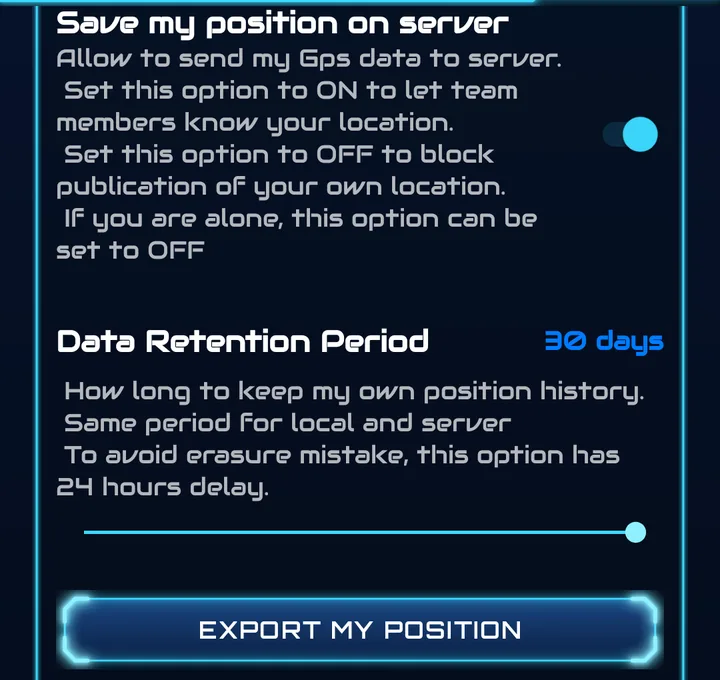
- Go to Settings → Privacy Controls and tap Export My Position.
- In Select Export Format, choose GPX Format or CSV Format and tap Export.
- The Android file picker opens — choose a save location and file name.
GPX Format
GPS Exchange Format — the standard for sharing routes and tracks. Compatible with navigation apps, GIS software, sports computers and online mapping tools.
- Contains your complete location history with timestamps
- Track segments organised by session
CSV Format
Comma-Separated Values — opens directly in Excel, Google Sheets or any data analysis tool, with clean column headers.
Exporting a Track
Any track of the Track Manager — imported, created from your trail or recorded with Run — can be saved as a GPX file with Export as GPX. See Track Manager.
Exporting Points of Interest
Back up your entire private POI collection — including all folders and point details — as a single JSON file.
- Go to the Points tab (Private) and tap Export to File.
- The file picker opens with a suggested timestamped name:
xopoz_points_backup_[timestamp].json. - Choose where to save the file and confirm.
What Is Included in the Backup?
- All private POI folders and their names
- All points within each folder (name, coordinates, description, radius)
- Creation and update timestamps
- Privacy flags and creator information
Importing Points of Interest
Tap Import from File in the Points tab. The Import Points dialog explains that the file will be merged with your existing points; tap Select File and pick a previously exported JSON backup.
- Imported points are merged with existing ones — your current data is not erased
- If the same POI exists in both, the newest version (by timestamp) is kept
- The folder structure of the file is preserved
Supported File Formats
| Format | Data | Where |
|---|---|---|
| GPX | Location history | Settings → Export My Position |
| CSV | Location history | Settings → Export My Position |
| GPX | Tracks (import and export) | Side menu → Tracks |
| JSON | Points of Interest (import and export) | Points tab |
All file operations use the Android Storage Access Framework, so you can save to any storage provider — internal storage, SD card, Google Drive, Dropbox, etc.
Your Right to Data Portability
Under GDPR, you have the right to receive your personal data in a portable format. Xopoz supports this through:
- Position export — full location history in GPX or CSV
- POI export — complete points collection in JSON
- All exports are user-initiated — no data is automatically sent anywhere