Share your live location with family, friends or your team.
Send your GPS position in one tap and watch everyone move on a live map. Free for 3 months, no phone number needed — and every position is encrypted, so only the people you choose can see it.

Already using Xopoz? Start here — the user guide walks you through every feature, the FAQ covers the most common device and configuration questions.
User Guide
Step-by-step instructions: map view, team management, geofencing, tracks, points of interest, emergency SOS, and settings.
Open User Guide →Frequently Asked Questions
GPS configuration, Android location providers, OS app-killing behaviour, tracking tags, and device-specific reports.
Open FAQ →Specification
Technical and functional specification of the Xopoz platform — architecture, data flows, and feature definitions.
Open Specification →Browse every released build, see what changed, and download the APK directly.
Release Notes & APK Downloads
Version history, changelogs, and direct APK downloads for each Xopoz build. First release: May 2026.
Press kit, landing page, one-pager, technical whitepaper, feature comparison, security brief, investor deck, brand speech, and early-adopter plan — everything a journalist, evaluator, or partner might need, in one place.
Marketing Materials
Public-facing documents for end users, press, investors, NGO/journalists, and technical evaluators. Nine documents, one index.
Are you a security researcher? You are welcome to help us harden Xopoz — but you must contact us first. Authorised findings earn one free year of Xopoz.
White Hat Security Policy
Rules of engagement for ethical hackers. Prior written authorisation is mandatory; verified vulnerabilities are rewarded with one free year of Xopoz use.
Share Your Live Location
Create a team for your family, friends or crew and see everyone move on a live map — no more "where are you?" calls. Everyone you choose sees you too.
Send Your Position or a GPS Point
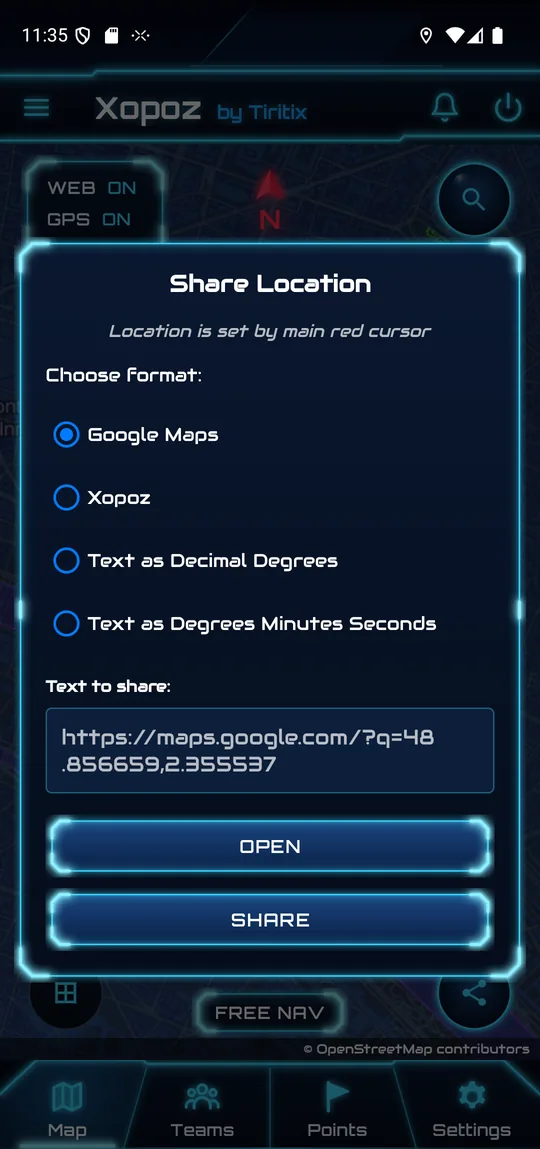
Send your current position, or any point on the map, as a Google Maps link or as GPS coordinates — by SMS, chat or email. The person receiving it does not need Xopoz.
Family & Kids Home Safe
Follow the route to school or on a trip and see the moment they arrive. No ads, no data broker, no social feed attached to your family.
Hiking, Runs & Mountains
Keep your group together on one map, record your route with a live speed display, and export it as GPX. No signal? Your phone keeps recording and syncs when it returns.
Work Crews & Vehicles
Track every phone of your team and every vehicle that carries one, with geofence enter/exit alerts, emergency SOS and trail replay for debriefs.
Private by Design
Positions are encrypted on your phone before they leave it. The server only relays ciphertext and holds no keys, so only your team can see where you are.
How do I share my live location with family or friends?
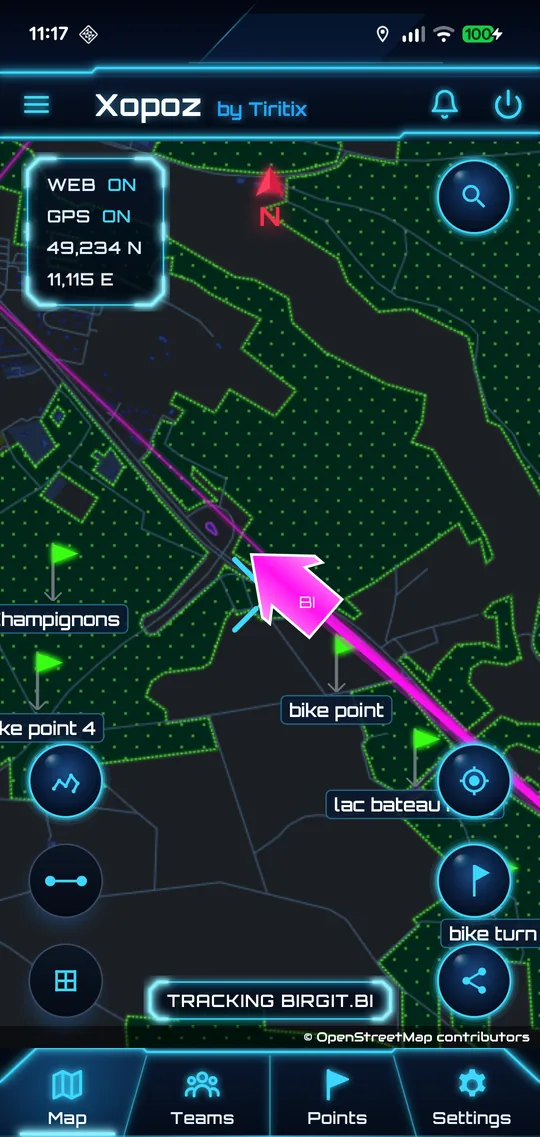
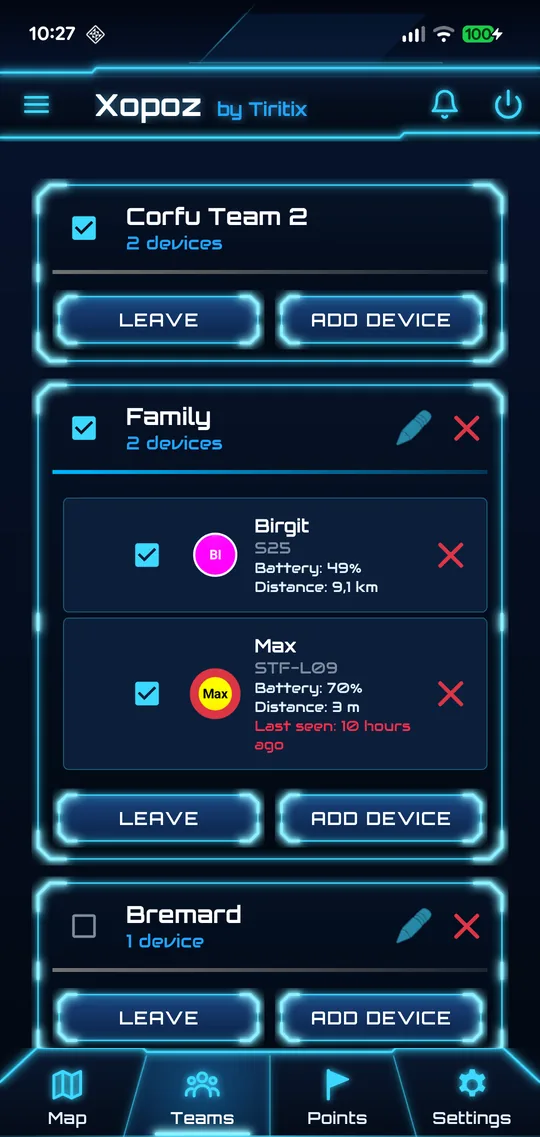
Install Xopoz, create a team (for example "Family") and add their phones with the team invitation. Everyone in the team then sees each other move on the live map, with battery level and distance.
How do I send my current position or a GPS point to someone?
On the map, tap Share Location. Xopoz sends the point under the centre cross as a Google Maps link, a Xopoz link, or as text coordinates in decimal degrees or degrees-minutes-seconds, through any app on your phone. The recipient does not need Xopoz to open a Google Maps link.
Is Xopoz a free tracking app?
You can use Xopoz free for 3 months. There are no ads and no phone number is required — you sign up with an email address.
Can I locate a phone by its number, or track someone without them knowing?
No. Xopoz is consent-based: each person installs Xopoz on their own phone and chooses to join your team, and can stop sharing their position at any time. There is no way to locate a phone from its number.
Can I track a car or a work vehicle?
Yes, with an Android phone in the vehicle. Every phone is its own device on the team map, so one person with several phones — or a fleet of vehicles — appears as several devices.
Can I record my hike or run and see my speed?
Yes. The Run feature records your route with a live speed display and saves it as a track. You can export your location history as GPX or CSV and import GPX routes from other apps.
Who can see my position?
Only the members of the teams you join. Every position is encrypted on your phone with the team key; the Xopoz server stores and relays ciphertext it cannot read.
Does Xopoz work on iPhone?
Not yet. Xopoz runs on Android 8.0 and later, and does not need Google Play Services. For supervising a whole fleet from a Windows PC, see Xodar.